
This post will show you how to delete a virtual desktop in mac osx.
Mission Control is a feature in mac osx that allows you to have many ‘virtual desktops’. You can use mission control to have different desktops for different tasks.
I have a desktop dedicated to programming and one for ‘communications’.
How to delete a virtual desktop in mac osx.
- Activate mission control (3 finger swipe up or click the icon).
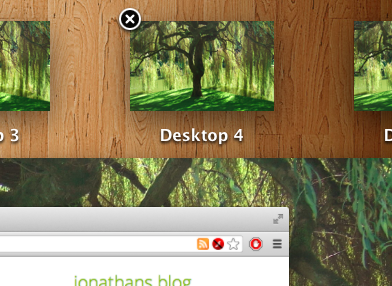
- Hover over the desktop you want to delete.
- A small cross will appear in the top left.
- Click it.
To see how you add virtual desktops please check my post.


Leave a Reply
You must be logged in to post a comment.