
This short blog post will show you how to enable spotlight indexing on a network drive. I have also added the commands to disable spotlight indexing on network drive that’s already indexed.
The first thing you have to do is to make sure you connect your network drive to the network.
I think afp:// is required for indexing to actually work. I’m not 100% certain on that information though. When I try enabling indexing with cifs:// spotlight doesn’t seem to be able to index the drive, even though mdutil states that indexing is enabled. If you have trouble with the index building or not being available, it would be worth trying to enable afp:// mode on your network drive.
To enable spotlight indexing on a network drive type the following command:
mdutil /Volumes/name -i onTo disable the indexing of a connected network drive type the following command:
mdutil /Volumes/name -i offTo check the status of indexing on a connected network drive type the following command:
mdutil /Volumes/name -s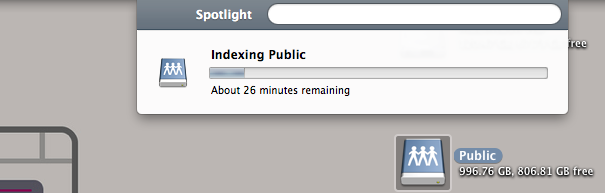
There is also an apple Kb article on how to make spotlight re-index a drive that’s already indexed using the GUI.
To re-index a mounted drive:
- goto preferences > spotlight > privacy
- drag a folder or drive into the ‘ignore’ list
- remove the item you just added.
With the above commands you will be able to search your network drive as you search your computer using spotlight (although you do have to wait for the indexing to finish, which can take a good while the first time – It took 3 hours for mine to finish indexing)
You might like: how to force spotlight to reindex your drive


Leave a Reply
You must be logged in to post a comment.