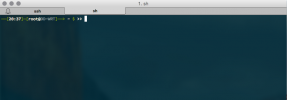
DD-WRT is a Linux-based open source firmware for routers that unlocks features unavailable in manufacturer firmware – VPN server, advanced QoS, wireless bridging, custom DNS, and SSH access being among the most useful. One of the small quality-of-life improvements available is a DDWRT custom prompt via a startup script in the web UI, useful when you’re managing multiple DD-WRT routers and need to know immediately which one you’ve SSH’d into.
Setting It Up
The custom prompt is set via the DD-WRT Administration panel under Commands, in the Startup section. Adding a line like echo 'export PS1="[router-name] u@h:w$ "' >> /tmp/root/.bashrc to the startup script ensures the custom prompt is set each time the router boots. Because DD-WRT runs from RAM and writes to flash only for config, startup scripts are the correct place for persistent changes. The prompt appears immediately on next SSH login after the router reboots.
Verdict
A small tweak that makes a real difference when managing multiple routers – being able to see at a glance which machine you’re connected to prevents the kind of error where you make a configuration change on the wrong device. The DD-WRT startup script system is powerful and this is one of the more harmless things you can do with it. Recommended for anyone running more than one DD-WRT router on their network.