OpenCode is an open-source, terminal-based AI coding agent – think Claude Code, but model-agnostic and MIT-licensed (if you’ve been running Claude Code against local LLMs, the appeal here will be familiar). It runs entirely from the command line, which makes it a natural fit for Termux on Android. This guide covers running OpenCode in Termux end to end – installation, connecting a provider, and initialising your first project. If you’re after the desktop version instead, see my guide to installing OpenCode on Linux, Windows, and macOS.
First, make sure Termux is installed and up to date, then grab a couple of dependencies:
pkg update && pkg upgrade
pkg install curl git
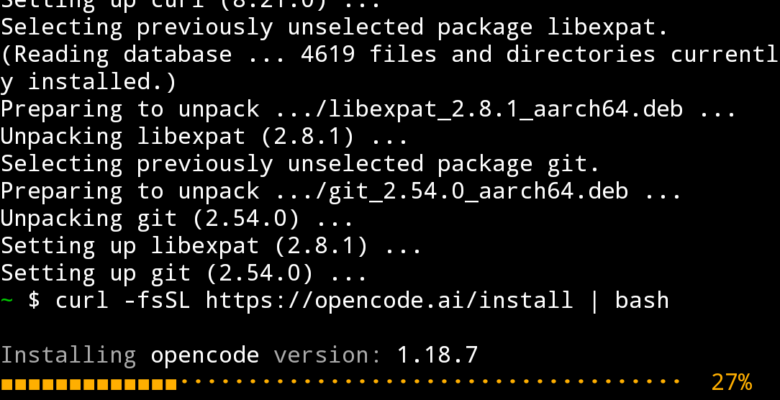
Now run the official install script:
curl -fsSL https://opencode.ai/install | bash
If you’d rather install via npm (also works fine in Termux once Node is installed with pkg install nodejs):
npm install -g opencode-ai
Once installed, launch it from any project directory with:
opencode
connecting a provider
Worth flagging up front – Anthropic blocked OpenCode from using Claude models back in January 2026, so it’s now set up for other providers like GPT or Gemini rather than Claude out of the box.
Inside the TUI, run the connect command and follow the prompts to sign in and paste in an API key:
/connect
OpenCode supports 75+ providers in total, including OpenAI, Google, AWS Bedrock, Azure, Groq, OpenRouter, and local models through Ollama, so pick whichever fits your workflow and budget.
initialising a project
Navigate to a project you want to work on, launch OpenCode, then run:
/init
This gets OpenCode to analyse the codebase and generate an AGENTS.md file in the project root, describing the structure and conventions it should follow. Commit that file to git so the context carries over for anyone else (or any future session) working on the project.
background info
OpenCode is built by the team behind SST (now Anomaly) as a fully open-source alternative to closed, single-vendor coding agents. Unlike Claude Code, which only works with Anthropic models, OpenCode is model-agnostic – you point it at whichever provider you like and swap between them freely, even mid-project. If running local models against an agentic coding tool sounds appealing, it’s worth reading through my guide to using Claude Code with local LLMs too – much of the Ollama setup there carries over directly to OpenCode.
Under the hood it has LSP integration, so it gets real compiler diagnostics fed back after every edit rather than guessing, git-based undo/redo so every change is snapshotted and reversible with a single command, and support for MCP servers so it can reach out to external tools and services. Sessions are stored locally in SQLite and never transmitted anywhere, which is a nice property to have on a phone.
Running it inside Termux means you get a genuine terminal AI coding agent on Android, no desktop required – handy for quick fixes, reviewing a pull request, or poking at a side project from a phone or tablet.