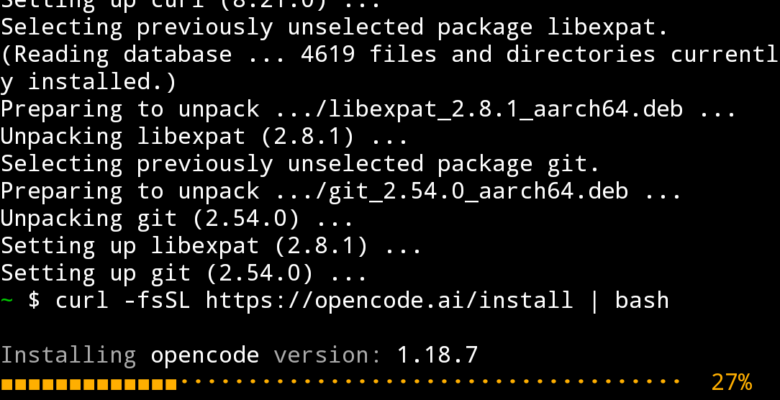
OpenCode is an open-source, terminal-based AI coding agent – think Claude Code, but model-agnostic and MIT-licensed. It runs on Linux, macOS, and Windows, and connects to 75+ LLM providers rather than being tied to a single vendor. Here’s how to get it installed on each platform, and connected to a provider.
Linux
Running OpenCode on Linux starts with the official install script. It works the same on Ubuntu, Debian, Fedora and Kali:
curl -fsSL https://opencode.ai/install | bashIf you’d rather manage it through a package manager, Homebrew works on Linux too:
brew install anomalyco/tap/opencodeOr via npm, if you’ve already got Node installed:
npm install -g opencode-aimacOS
Homebrew is the recommended route on macOS – it’s kept most up to date via the OpenCode tap, whereas the official brew install opencode formula lags a little further behind:
brew install anomalyco/tap/opencodeThe install script and npm both work identically to the Linux instructions above, if you’d rather use those instead.
Windows
For the best experience on Windows, run OpenCode inside WSL and follow the Linux instructions above – it gives better performance and full feature compatibility.
curl -fsSL https://opencode.ai/install | bashIf you don’t want to set up WSL, npm works directly on native Windows:
npm install -g opencode-aiAlternatively, grab the binary directly from the project’s GitHub releases page if you’d rather not install Node.
Connecting a provider
Worth flagging up front – Anthropic blocked OpenCode from using Claude models back in January 2026, so it’s now set up for other providers like GPT or Gemini rather than Claude out of the box.
Launch OpenCode in a project directory, then run the connect command inside the TUI and follow the prompts to sign in and paste in an API key:
opencode
/connect
OpenCode supports 75+ providers in total, including OpenAI, Google, AWS Bedrock, Azure, Groq, OpenRouter, and local models through Ollama, so pick whichever fits your workflow and budget. If you’d rather run a local model entirely – keeping everything off a third-party API – the setup is essentially the same as the Ollama walkthrough in my Claude Code guide, just pointed at OpenCode’s config instead.
Initialising a project
Once you’re connected, navigate to a project and run:
/initThis gets OpenCode to analyse the codebase and generate an AGENTS.md file in the project root, describing the structure and conventions it should follow. Commit that file to git so the context carries over for anyone else (or any future session) working on the project.
Background info
OpenCode is built by the team behind SST (now Anomaly) as a fully open-source alternative to closed, single-vendor coding agents. Unlike Claude Code, which only works with Anthropic models, OpenCode is model-agnostic – you point it at whichever provider you like and swap between them freely, even mid-project. If you’re specifically interested in running Claude Code itself against a local model rather than switching tools entirely, see my guide to using Claude Code with local LLM models.
Under the hood it has LSP integration, so it gets real compiler diagnostics fed back after every edit rather than guessing, git-based undo/redo so every change is snapshotted and reversible with a single command, and support for MCP servers so it can reach out to external tools and services. Sessions are stored locally in SQLite and never transmitted anywhere.
OpenCode isn’t limited to the desktop either – it runs just as well on Android inside Termux, if you want the same agent in your pocket. See my guide to running OpenCode in Termux on Android for that setup.