Skip to content

How to change the orientation of the dock on osx

October 20, 2012 Dock

This post will show you how to change the orientation of the dock in osx

you can place the dock on the left or right of the screen, as well as the default option of at the bottom

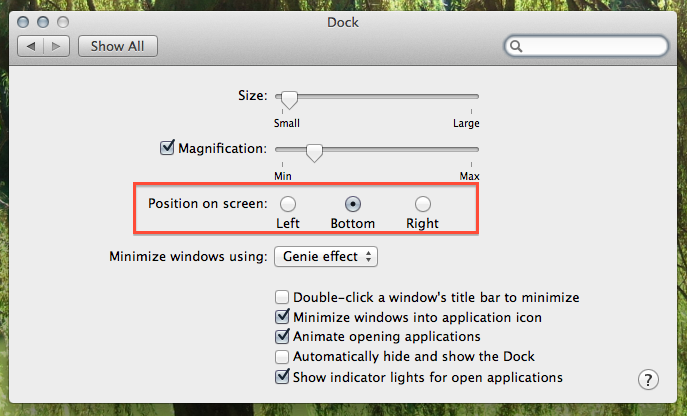
  • go to system preferences > dock
  • select the ‘Position on screen’

dock settings osx

done :)

You must be <a href="https://jonathansblog.co.uk/wp-login.php?redirect_to=https%3A%2F%2Fjonathansblog.co.uk%2Fhow-to-change-the-orientation-of-the-dock-on-osx">logged in</a> to post a comment.