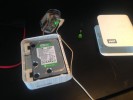
Western Digital MyBook NAS drives use a hardware encryption chip that sits between the drive and the SATA interface – which means that simply pulling the drive out and connecting it to another machine produces an unreadable volume, even if the drive itself is perfectly healthy. This catches a lot of people out when the enclosure fails while the drive is fine. This guide covers pulling a drive from a western digital mybook NAS to recover data even after the enclosure itself has died, and explains the encryption architecture you need to work around to do it correctly.
The Problem
WD MyBook enclosures of a certain era used AES encryption implemented in the enclosure’s controller chip. The encryption key was stored on the enclosure board itself, not on the drive. This meant that connecting the bare drive to another machine – or even another identical MyBook enclosure – would not give you access to the data, because the decryption key was on the dead board. The solution is to source a matching replacement enclosure board and swap it in, or in some cases to find the specific key stored in the enclosure’s firmware chip.
The Recovery Process
If the enclosure board has failed, sourcing an identical replacement (matching the PCB revision number, not just the model) and swapping the drive in gives access to the data through the original encryption chain. On Linux, some MyBook NAS models can be mounted directly if the encryption is handled differently. The lesson is to always back up critical data from any NAS device – single-disk enclosures with hardware encryption are particularly vulnerable to this failure mode. A useful cautionary tale and a recoverable situation if approached correctly.
One response to “Mounting a harddrive from a western digital mybook NAS to recover data”
Hi!
Thanks for the guide. I wonder if you could help me out. For the assemble command Im getting error:
mdadm: no recogniseable superblock on /dev/sdb4
mdadm: /dev/sdb4 has no superblock – assembly aborted