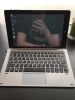
Running Kali on the Chuwi Hi10 Pro makes sense – it’s a cheap, portable Intel x86 device with a touchscreen, a detachable keyboard, and WiFi, which are exactly the characteristics you want in a portable penetration testing platform. The challenge is that the Hi10 Pro’s Intel Atom hardware requires some specific driver work for WiFi and audio, and the touch input needs configuration to work correctly under Linux. This guide covers the 2020-era Kali installation which reflects the updated approach for modern Kali releases.
Installation Notes
Kali on the Hi10 Pro installs from a standard x86 ISO written to a USB drive. Booting requires enabling legacy BIOS mode in the UEFI firmware settings and disabling Secure Boot. The WiFi adapter (typically a Realtek or Intel chip depending on the batch) may or may not work out of the box – the Intel WiFi variant works well with the standard kernel drivers, while Realtek variants may need a driver install from the Kali repositories. The touchscreen works without additional configuration on modern kernels. Display rotation needs to be set manually for landscape use.
Verdict
Kali Linux on the Hi10 Pro is a functional portable pentesting platform at very low cost – the small screen is a limitation for complex terminal work, but the portability and the ability to run the full Kali toolset on an x86 device makes it genuinely useful. For wireless testing in particular, being able to run aircrack-ng and the associated tools on a device that fits in a bag is practical. A worthwhile experiment that produces a usable result.