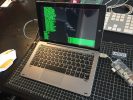
BlackArch Linux is an Arch Linux-based penetration testing distribution with one of the largest collections of security tools available – over 2,800 tools in the repository at last count. Running BlackArch on the Chuwi Hi10Pro creates a portable x86 pentesting platform that’s more comprehensive than a standard Kali installation in terms of available packages, though the rolling-release Arch base means more active maintenance is required. The Hi10 Pro’s small size and reasonable battery life make it practical for fieldwork.
Installation and Configuration
BlackArch can be installed either as a full standalone install or as a repository overlay on top of an existing Arch Linux installation. The full install from the BlackArch ISO is simpler for the Hi10 Pro – boot from USB, partition the storage appropriately (leaving the Windows partition intact requires careful work with fdisk or cfdisk), and run the BlackArch installer script. Post-install configuration for the Hi10 Pro involves enabling the correct WiFi driver, setting display rotation, and configuring the touchscreen. The BlackArch tool groups let you install categories of tools (wireless, exploitation, forensics) rather than individual packages.
Verdict
BlackArch on the Hi10 Pro is a more complex setup than Kali but rewards the effort with a more current and comprehensive toolset. The rolling-release model means tools are more up to date than on Kali’s point-release schedule. For serious penetration testing work, having the full BlackArch repository available on portable x86 hardware is a genuine advantage. A worthwhile experiment for anyone already comfortable with Arch Linux basics.
One response to “Blackarch on the chuwi hi10pro – install and config”
I have a chuwi hi10 plus, can I use this tutorial to install it on my machine? Is it compatible with the touchscreen firmware?