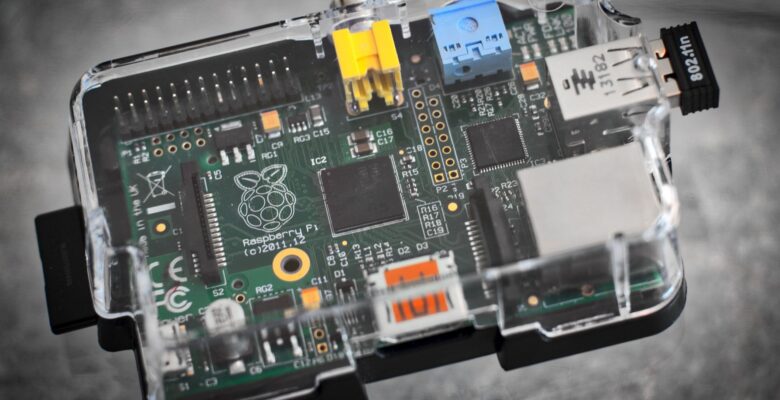
Every streaming subscription is a rental agreement on things you already own. I ripped my DVDs years ago, and the only sensible way to watch them on a TV, a phone and a laptop without handing a catalogue to somebody else’s cloud is a Jellyfin media server running on hardware in my own house. It is free, it has no account system phoning home, and it will run happily on a mini PC or a decent Pi.
Why Jellyfin and not the obvious alternatives
Plex is polished but it routes authentication through Plex’s servers and keeps moving features behind a pass. Emby went partly closed. Jellyfin is a fork of the last open Emby, is GPL, and has no paid tier, no telemetry and no remote dependency. If your internet drops, your films still play.
The trade is that nobody holds your hand. You will do the transcoding and permissions work yourself, which is exactly where most installs go wrong.
A compose file that works
This is the whole deployment. Nothing else is needed, assuming your media already sits on a mounted volume — I keep mine on a lightweight Samba file server mounted at /srv/media.
services:
  jellyfin:
    image: jellyfin/jellyfin:10.10.7
    container_name: jellyfin
    user: "1000:1000"
    group_add:
      - "989"            # host GID of the 'render' group
    network_mode: host   # needed for DLNA and client auto-discovery
    volumes:
      - ./config:/config
      - ./cache:/cache
      - /srv/media:/media:ro
    devices:
      - /dev/dri:/dev/dri
    environment:
      - JELLYFIN_PublishedServerUrl=https://jellyfin.example.com
    restart: unless-stopped
Two deliberate choices there. The media mount is read-only, because a media server has no business writing to your library. And network_mode: host is used because Jellyfin’s client discovery relies on broadcast traffic that does not survive a bridge network.
Permissions: the part that breaks
Almost every “Jellyfin cannot see my library” thread is a UID mismatch. The container runs as whatever user: says, and that UID must be able to read the files on the host. Do not fix this with chmod 777.
id -u && id -g                      # the UID:GID to put in the compose file
stat -c '%U %G %a' /srv/media/films  # what actually owns the media
getent group render # the GID for group_add- Set
user:to a real host account that can read the library. - Add the host
rendergroup GID viagroup_addso that user can open/dev/dri/renderD128. - Keep
./configowned by the same UID, or Jellyfin will fail on first boot writing its database. - If the library lives on an SMB or NFS mount, set
uid=andgid=in the mount options — container permissions cannot fix a mount that already hides the files.
Hardware transcoding that actually engages
Software transcoding a 4K HEVC file will melt a small box. Passing /dev/dri into the container is necessary but not sufficient: you still have to turn acceleration on in Dashboard → Playback and pick the right API.
- Intel with Quick Sync: choose VAAPI (or QSV on 11th gen and newer), enable HEVC and tick hardware decoding for the codecs you own.
- AMD: VAAPI, same device node.
- Nvidia: NVENC, and you need the container toolkit plus
runtime: nvidiarather than a device mapping. - Raspberry Pi: there is no useful hardware encoder on the Pi 5. Treat a Pi as a direct-play server, not a transcoder.
Verify it rather than trusting the setting. Start a playback that forces a transcode, then watch the GPU:
sudo apt install intel-gpu-tools
sudo intel_gpu_top          # 'Video' engine should be busy during playback
docker logs -f jellyfin | grep -i vaapi
The cheapest optimisation is not transcoding at all
Transcoding is a workaround for a client that cannot play the file. Most of it disappears if you fix the library instead: store H.264 or HEVC in an MP4 or MKV container, keep an AAC stereo track alongside any surround track, and burn nothing in. Subtitles are the other silent culprit — image-based PGS subtitles force a full video transcode, while SRT is overlaid for free. Converting a handful of files to SRT does more for playback than any GPU.
Exposing it without exposing yourself
Do not port-forward 8096. Put it behind a reverse proxy with a real certificate, or reach it over a tunnel or VPN. I run mine alongside the rest of my home server projects behind a proxy that handles TLS for every service in one place.
What I would do
Buy a used mini PC with an Intel chip that has Quick Sync, mount the library read-only, set the UID properly on day one and enable VAAPI. That configuration has served four concurrent streams in my house without the fans ever spinning up, and it costs nothing per month. A Jellyfin media server is the single highest-value thing you can self-host, because unlike most homelab projects, the rest of the household notices it working.